Sebastian Granda (sgg10) and I'm a
Data Engineer Architect
Data
Engineer Architect
I’m a System Engineer from EAFIT University (Medellín, Colombia)🎓 with a passion for building efficient and scalable data architectures ⚙️. I’m also deeply driven by the opportunity to create and contribute to impactful projects 🌍, turning data into actionable insights 📊 and fostering organizational growth 📈.
With a career spanning multiple roles, I started as a Fullstack Developer 💻, mastering both frontend and backend technologies, as well as DevOps 🛠️. Over the years, I’ve specialized in Data Engineering 🗂️, eventually transitioning to my current role as a Data Architect 🏗️. My work often involves leveraging cloud solutions, particularly AWS services ☁️, to design and implement robust, scalable systems.
In addition to my professional work, I have a strong interest in trading 📈. I develop trading bots 🤖 (Expert Advisors) and custom indicators to automate strategies, manage risk, and enhance profitability 💰.
In short, I could say that I like to create and therefore I like to have the necessary skills to create, solve and impact from the point of view or role that is required.
My Skills🤘🏻
Programming Languages






Databases



Cloud Providers


Some technologies, frameworks and tools

















AWS Services


Some of my Public Libraries✌🏻
In this section I would like to share projects that I have done to solve real problems that I have faced and I have given them a more general approach to suit any scenario, I hope that some of them can be not only attractive but also useful for you🔥.
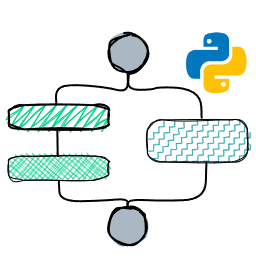

DynaFlow: A Dynamic Workflow Execution Tool for Python 🚀
🛠️ The Problem:
In one of my projects, I faced a challenging scenario: processing data through workflows that varied dynamically depending on legal regulations. These workflows involved:
- 🔄 Different validation orders.
- ➕➖ Adding or removing steps.
- 🏢 Specific requirements based on the governmental entities involved.
- 🚧 New ways to perform the same tasks depending on updated regulations.
Moreover, depending on whether the data was historical or current, a different workflow needed to run. Implementing this was a cumbersome and hard-to-maintain process. 😵💫
💡 The Solution:
Inspired by AWS Step Functions, I created DynaFlow, a Python library that allows you to:
- Define workflows in JSON (based on ASL).
- Provide a custom function catalog.
- Use a search function to dynamically locate the required functions.
This enables flexible and adaptive execution of workflows, simplifying even the most complex processes. ✨
🌟 Key Benefits:
- 🔧 Reduced operational complexity: A single Docker image can handle multiple workflows.
- 📦 Flexibility: Workflows are stored as JSON in databases, eliminating the need for constant redeployments.
- 📈 Scalability: Adding new capabilities is as simple as updating the function catalog.
🎯 The Outcome:
With DynaFlow, I optimized process execution in AWS Batch, significantly reducing deployment times and simplifying the management of workflow changes. This tool is perfect for environments with ever-evolving requirements, such as legal regulations or customized business processes.
P.S.
I’ve frequently mentioned a function catalog — essentially a Python dictionary storing functions and their versions. While you could build one manually, it can be a bit tedious.
But what if there was another library that streamlined this process, allowing you to focus solely on programming?
Well, check out my next project, "Function Registry," and see how it can make your life easier! 🎉

📚 Function Registry: Manage Your Functions Like a Pro! 🛠️
Function Registry was born out of a real need during a challenging data processing project. I faced the issue of executing workflows with different validations depending on the legal framework in effect. Each framework required specific versions of functions, which inevitably complicated name management and created unnecessary confusion. 🤯
To solve this, I developed Function Registry, a simple yet powerful library designed to manage multiple versions of functions in a clear and centralized way. 🚀
This tool was created as a complement to DynaFlow, my solution for dynamic workflow execution. While both tools work completely independently, they form a perfect duo: DynaFlow executes workflows, and Function Registry organizes and versions the functions used in those workflows. 🤝
🔍 What Does Function Registry Do?
- 🧩 Versioning: Register multiple versions of a function using:
- Sequential versioning (1, 2, 3...).
- Semantic versioning (1.0.0, 1.1.0, 2.0.0...).
- 🗂️ Metadata: Each version can include additional information such as author, date, or any relevant data.
- 🔍 Advanced Searches: Find functions by name, specific version, or even using custom metadata searches. For example: "Find the version where the author is 'John Doe'."
- 🎯 Easy to Use: Simply decorate your function with
@fr.save_version("name", version)and you're good to go! No more headaches. 😌
🤔 How Did Function Registry Begin?
It all started with the development of DynaFlow. The issue was managing multiple ways to perform the same validation, depending on the legal framework or specific requirements. For example:
✅ A function for historical validations.
✅ Another for current data.
✅ A new, optimized version for future changes.
Manually remembering which function applied to each context was unnecessary chaos. 🤯 Then came the idea: "Why not create a centralized system to manage functions and their versions, with metadata and custom searches?" And so, Function Registry was born—a library that solved this problem once and for all. ✨
🚀 Why Use Function Registry?
If your team manages multiple function versions for different workflows or contexts, this library will be your best ally. It saves time and reduces errors by centralizing version management in one place. Plus, you can easily integrate it with tools like DynaFlow to maximize productivity. 🔥
💡 P.S.
If you're interested in DynaFlow, don’t worry about manually creating the function catalog. Use Function Registry and simplify your workflow even further. It’s all about making things easier and faster! 😉
📜 DocScribe: Bringing Your Documentation to Life ✍️🚀
Documenting is tedious, but it’s essential—especially for roles like architects or team leads who need precise, up-to-date information. That's where DocScribe comes in, a CLI-powered Python library designed to make documentation alive and automated! 🌟
💡 How Did DocScribe Start?
While working on complex data architectures, I faced a challenge: keeping documentation up-to-date without adding extra manual work. Static documentation always falls behind reality. 🤔
What if documentation could update itself dynamically based on scripts that connect to APIs, scan repositories, or analyze code? This idea led to DocScribe, a tool designed to turn documentation into a living, automated process.
🔧 What is DocScribe?
DocScribe is a CLI tool that allows you to:
- 📂 Initialize a local or external repository for storing documentation templates.
- 🖋️ Create templates in Markdown (
.md), Word (.docx), or plain text (.txt). - 🤝 Collaborate via external S3 repositories, enabling team members to share templates or final documents.
- ⚙️ Customize and automate document generation using Python scripts:
- Each template has its
template file(Markdown, Word, or Text), ascript.py(user-defined logic), and aconfig.json(metadata, input parameters, and schema validation).
- Each template has its
🛠️ How Does DocScribe Work?
1️⃣ Initialize DocScribe:
Start by initializing DocScribe with a local repository or connecting to external S3 repositories.
2️⃣ Create or Import Templates:
Use the CLI to create new templates or import existing ones from external sources. Each document structure consists of:
template.(md|docx|txt)– The file defining the structure.script.py– A Python script that generates the JSON data to populate the template.config.json– Defines inputs, schema validation, and dependencies.
3️⃣ Write Your Script:
Scripts can do anything: call APIs, scan repositories, or dynamically generate data.
DocScribe ensures scripts meet the schema defined in config.json.
4️⃣ Render the Document:
Run the CLI to generate the document:
- Input parameters can be defaulted or customized on the fly.
- Dependencies (like
faker) are auto-installed via your preferred package manager (piporpipenv). - Choose to export locally or to an external S3 repository.
5️⃣ Enjoy a Live Document!
DocScribe dynamically populates your template with the output of script.py.
🌟 Key Features
- Dynamic Document Generation: Automate tedious documentation tasks with custom scripts.
- Multi-Format Support: Work with Markdown, Word, or plain text templates.
- Schema Validation: Ensure consistent outputs with JSON schema validation.
- Dependency Management: Auto-install dependencies (
faker,boto3, etc.) for your scripts. - Repository Integration: Store documents locally or in S3 (with more integrations planned).
- Pipeline-Ready: Easily integrate DocScribe into CI/CD pipelines.
🛠️ Example Use Cases
- 📝 Changelog Generation: Automatically generate changelogs for commits in a repository.
- 🏗️ Cloud Inventory: Scan AWS Lambda functions and dynamically document runtime, configuration, and names.
- 🔒 Security Reports: Use scripts to analyze vulnerabilities in project files and output a report.
- 📊 Data Insights: Generate data summaries or insights and format them into professional reports.
🤝 Why DocScribe?
DocScribe bridges the gap between automation and documentation, turning what was once a chore into an effortless process. By empowering users with Python scripting and dynamic templates, DocScribe ensures your documentation is always relevant and alive.
Whether you're generating security audits, cloud inventories, or changelogs, DocScribe adapts to your needs, making it an indispensable tool for architects, developers, and engineers. 🌟